Your brand, and every format from one design
Two things a channel does over and over: put its own name, colours and logo on a graphic, and make the same graphic again in another shape. Both are one step now.
A brand kept with your account
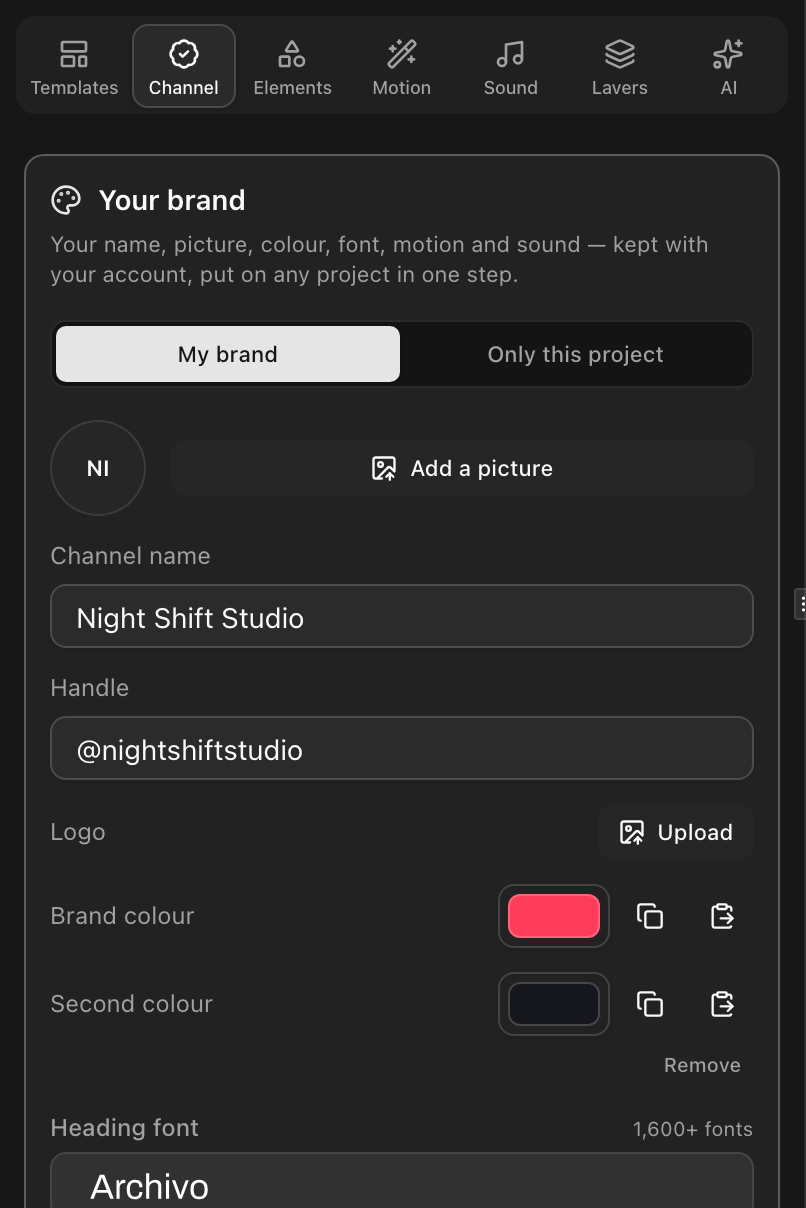
The Channel tab has a panel called Your brand. It holds a channel name, a handle, a logo, a brand colour and a second colour, a heading font and a font for smaller lines, a motion and a sound style — kept with your account rather than with one project. Fill from your channel pulls in what YouTube already knows; Save as my brand keeps it.
Apply brand puts it on the project in front of you. Each part can be left out before it is applied, applying adds no sounds of its own, and a colour that would not stand out against what it sits on is flagged before it goes on. Fonts are Google fonts, so what you pick is what the export draws.
Change the shape, not the design
Choosing another canvas — Vertical for Shorts, TikTok and Reels, Square for a feed — now asks first. The dialog shows the design as it is and as it will be, side by side, and lists every part with what will happen to it: placed where it belongs in the new shape, back where it was, filling the new frame, or scaled to fit as one piece with a note to check it.
Untick a part to keep it exactly where it is. Adapt the layout does the rest in one step of undo; Only change the canvas does what changing the size always did.
Round trips come back exactly
Templates carry anchors that say where each part belongs in 16:9, 9:16 and 1:1. Going from 16:9 to 9:16 to 1:1 and back to 16:9 returns the project exactly as it was — the placements are remembered, not recomputed from the last shape. The templates with steps and a set of others have hand-set anchors; the rest are placed by a labelled fallback that tells you it did so.
Questions
- Does changing a project to 9:16 crop it?
- No. Adapt the layout moves each part to where it belongs in the new shape instead of cutting the frame. Only change the canvas is still there if you want the old behaviour, and changing back returns the original layout exactly.