A pass that turns over, and specs that count
Two new templates, and each is a small machine rather than a picture of one: a pass that hangs on a strap and turns over, and a spec card whose figures count as they arrive. Every word on both is a layer you can retype where it stands.
A pass that hangs, swings and turns over
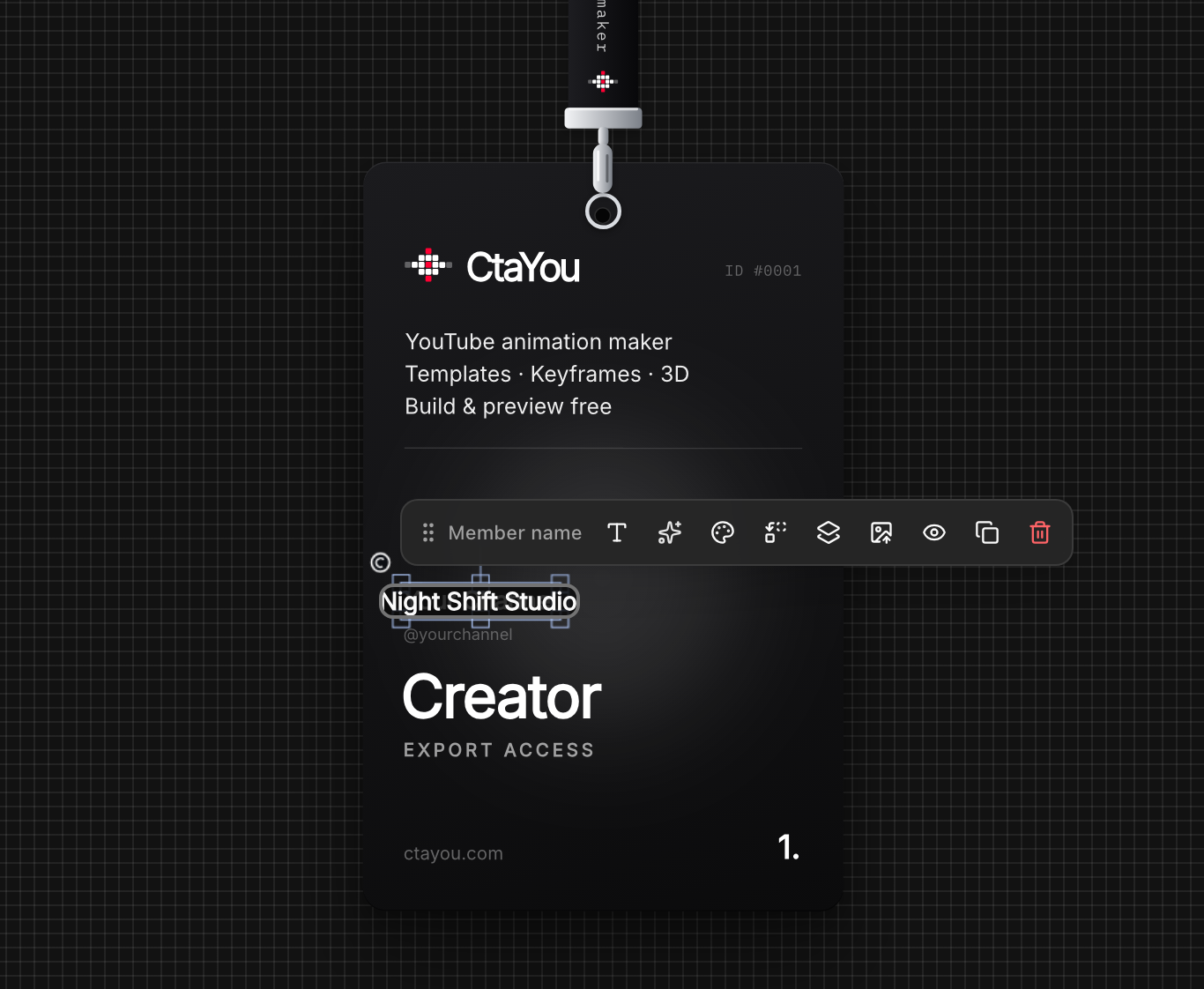
The Lanyard Pass drops into the frame on its strap, swings, settles, turns over to show its back, turns again and is drawn up out of the picture. Eight seconds, sized for a 1920 by 1080 frame, and made for anywhere a channel wants to hand the viewer something to scan: an intro, a members’ shout-out, the last seconds of a video.
It was built against a clip of a real event badge and measured off its frames, which is why it moves like one rather than like a graphic. The card hangs a beat behind the strap, a turn takes a quarter of a second — a slower one read as a card being squeezed rather than turned — and each turn leaves a small sway behind it.
The back carries a working QR code, for ctayou.com, on a white tile with a quiet zone of its own, so it scans off a screen. It is a picture layer like any other, named “QR code — replace with your own”, and replacing it is exactly that.
All 54 parts are ordinary layers: each word, the logo, the code, the print along the strap. The motion lives on three invisible ones the rest hang from — the point the strap swings about, the ring the card turns on, and the turn itself — so moving the whole pass is moving one layer, the Lanyard pivot.
A spec card whose figures count
The Car Spec Card is for a car review, a build video or a garage tour. It takes the left of the frame while the car has the rest: the maker and its flag, the model wiped in like a name plate being lit, a paint picker that runs down the swatches and lands on one, and a glass panel of nine specs, a red rule drawn down between their icons and their figures.
Five of the figures count as they arrive — displacement, power, torque and weight up, the sprint time down, because there the smaller number is the better one. Each starts from a number with as many digits as the one it lands on, so no figure grows a digit halfway through its count.
It started from a card seen over a car video and was changed where that one was weakest. The figure and its unit were one size there, so “671 HP” read as a word rather than a number; only the chosen colour was ever named; and white words over a bright sky disappeared. Here the unit is small and grey, the picker names every colour it passes, and a soft shade down the left keeps the words legible over any footage — delete it where the footage is dark already.
The maker, the model and every figure are sample text for a car that does not exist, so nothing on it is anybody’s badge until you type yours.
Double-click a word to retype it
Everything written on either template is a text layer, so changing it is one gesture on both: double-click the word on the canvas and type. The field opens where the word stands, in its own typeface and at its own size, rather than in a box across the screen from it.
A double-click on a word that belonged to a group used to do nothing at all. It opens the word now, in every template, and a single click takes the one layer under the pointer — the bar above it says which. The layers that lie over the card only for the effect — its glow, and the shade and edge of each turn — are locked, so a click reaches the card or the word rather than a sheet of light; unlock one in Layers to change it.
A figure that counts can be retyped like any other word. A counter draws the end of its count rather than its own text, so retyping one used to change a field nothing drew: “671” typed over as “700” went on counting to 671. It counts to what you typed now — unless the count was set to end on a figure of its own, which is left alone.
A share button on every template page
Both pages, like every template page, have a Share button now. It lists X, Threads, Facebook, LinkedIn, Pinterest, Reddit, WhatsApp, Bluesky and email, each through the network’s own share address, so nothing from any of them loads on the page until somebody chooses it — and a link to copy.
A shared link unfurls as the template rather than as the site: its own picture, its own name, its own line. On a phone the device’s share sheet comes first and carries the picture as a file, because Instagram, TikTok and messages take a picture, not a link.
Questions
- Can I put my own QR code on the Lanyard Pass?
- Yes. The code on the back is an ordinary picture layer named “QR code — replace with your own”: select it and upload your code in its picture field. The back is only on screen while it faces out, so move the playhead past the first turn or pick the layer in Layers. The white tile behind it gives any code a quiet zone, so it still scans off a screen.
- Will the Car Spec Card sit over my own footage?
- That is what it is for. Export it with a transparent background — ProRes 4444 for Premiere Pro, DaVinci Resolve or After Effects, WebM for a web page — or as an MP4 on green for CapCut, and lay it over your clip. The shade down the left keeps white words readable over a bright sky; delete it if your footage is dark there.